DATE
05/01/2026
Modern LMS Dashboard UI/UX
Eduvera is a modern Learning Management System (LMS) dashboard designed to help students manage courses, assignments, exams, messaging, and account settings in one unified platform. The project focuses on clarity, usability, and consistency through a clean light theme, structured layouts, and a scalable design system.
Educational
Management
Services
Management
Category
Dashboard Design
Client
Nicola Olivia
About the Product
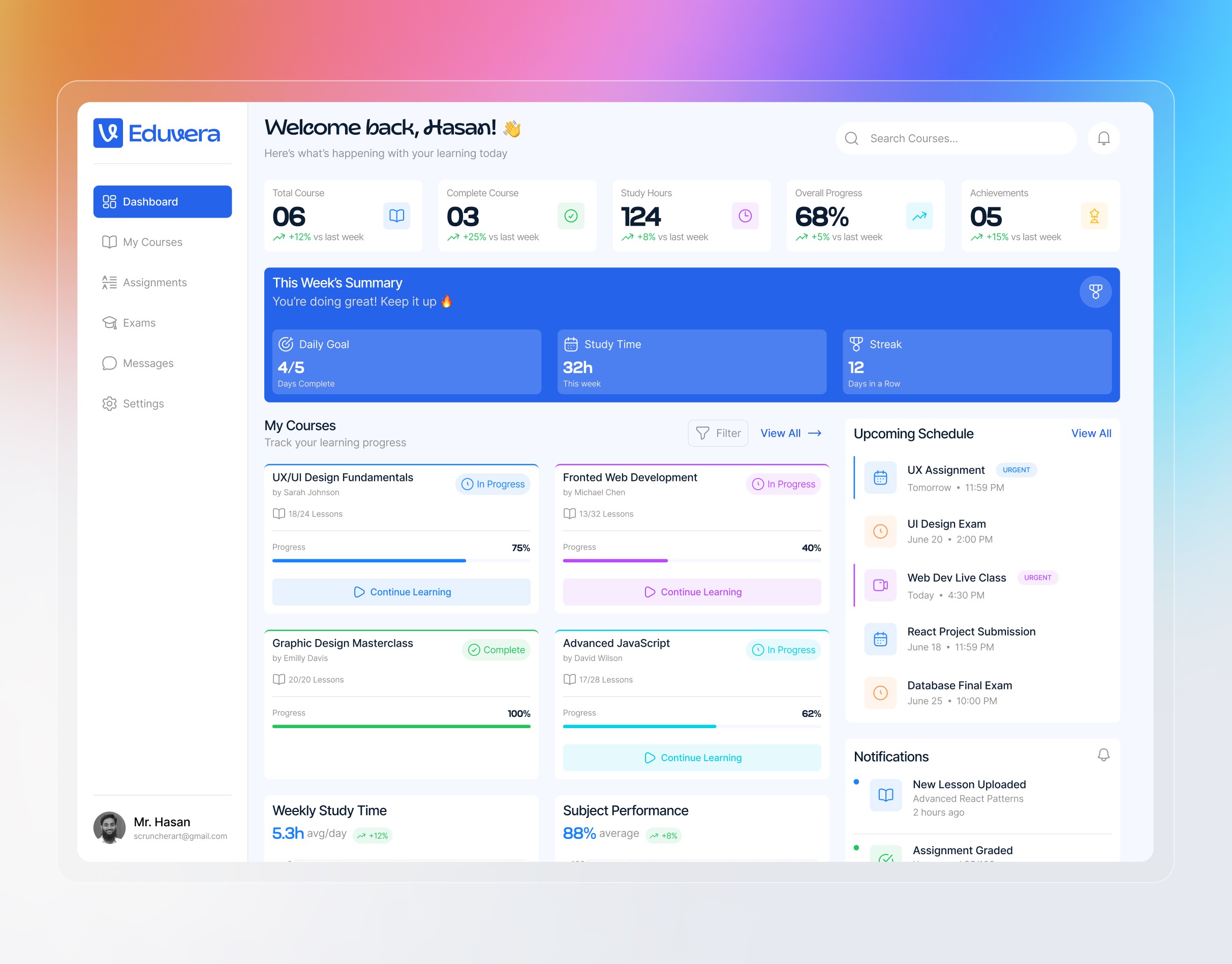
Eduvera is a modern, user-centric education dashboard designed to help students organize their academic life and track their learning progress in real-time. The platform consolidates courses, schedules, and performance metrics into a single, intuitive interface to enhance productivity and consistency.
Streamline Your Learning Experience
Learning Dashboard: A quick look at your total courses, study hours, and learning progress.
Daily Goal Tracker: A section to help you see your study goals and how many days you have studied in a row.
Course Progress: Cards that show exactly how much of each course you have finished with a progress bar.
Upcoming Schedule: A simple list to remind you about future exams, assignments, and live classes.
Track & Stay Organized
Track progress and stay organized with a smart, easy-to-use dashboard. Manage your daily goals, courses, and schedules all in one place.
The Solution
The Eduvera dashboard solves these problems by providing a unified workspace that focuses on:
Centralization: Bringing all learning data—from course progress to upcoming exams—into one clean view.
Gamification: Using "Daily Goals" and "Streaks" to encourage students to log in and study every day.
Data Visualization: Transforming raw data into easy-to-read charts for weekly study time and subject performance.
Key Features
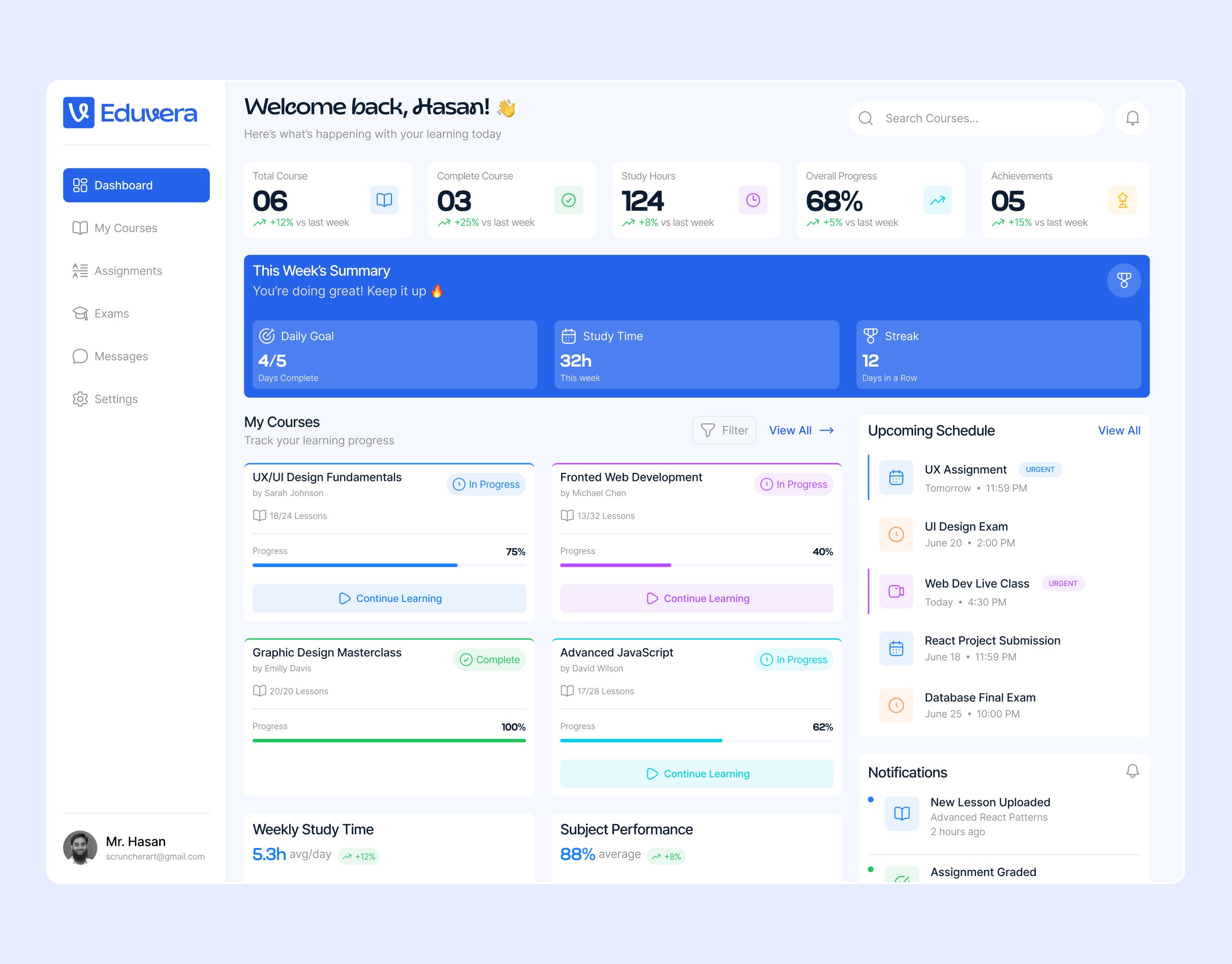
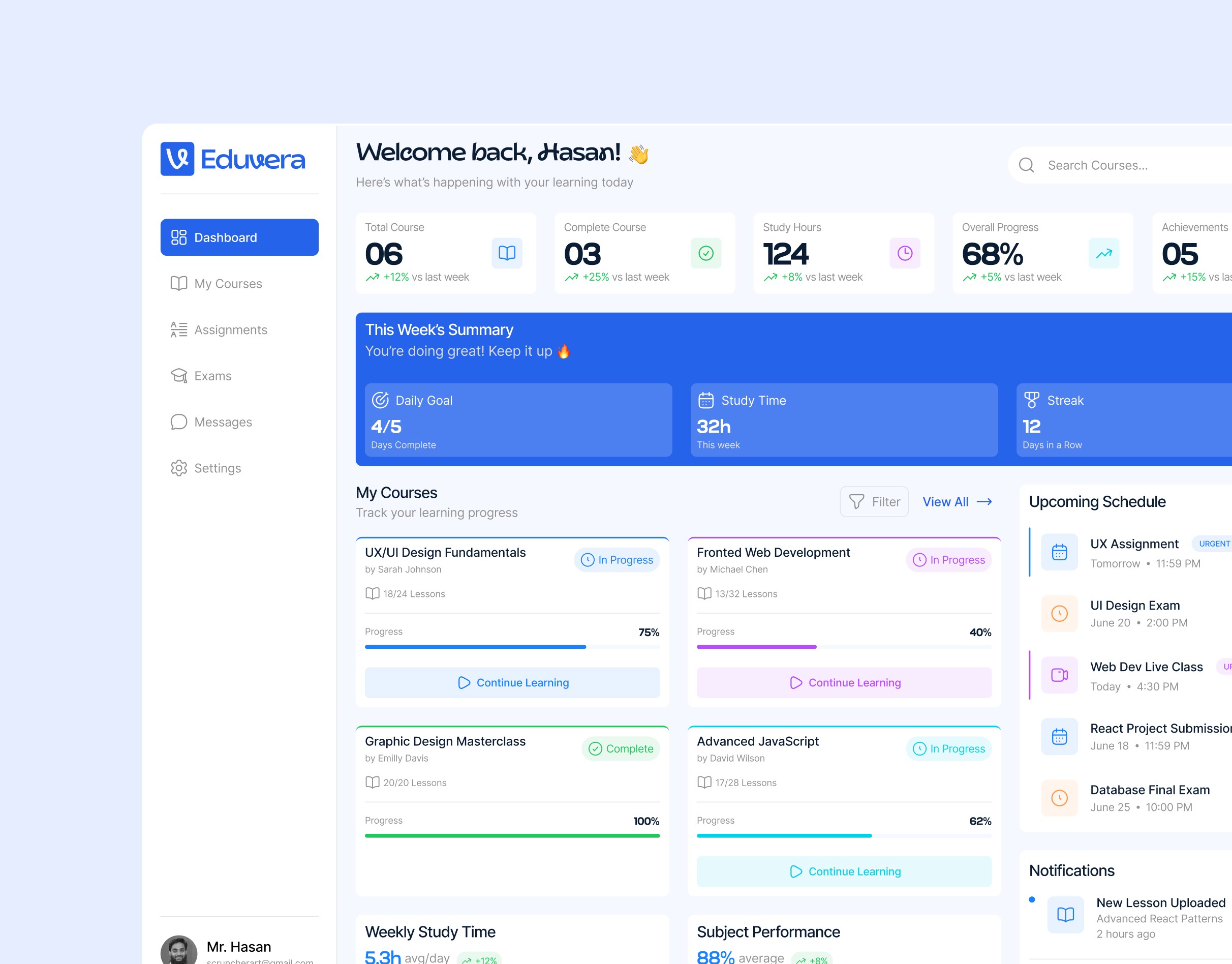
At-a-Glance Statistics: High-level summary cards showing total courses, study hours (124h), and overall progress (68%).
Weekly Performance Summary: A prominent banner tracking daily goals (4/5 days) and current learning streaks (12 days in a row).
Interactive Course Management: Individual cards for subjects like UX/UI Design and Advanced JavaScript, featuring progress bars and "Continue Learning" shortcuts.
Smart Scheduling: A dedicated "Upcoming Schedule" sidebar that highlights urgent assignments and live classes.
Progress Analytics: Visual graphs for "Weekly Study Time" and "Subject Performance" to help students identify their strengths and weaknesses.
Milestone Achievements: A reward system that celebrates accomplishments like "7-Day Streak" or "Top Performer" to boost morale.
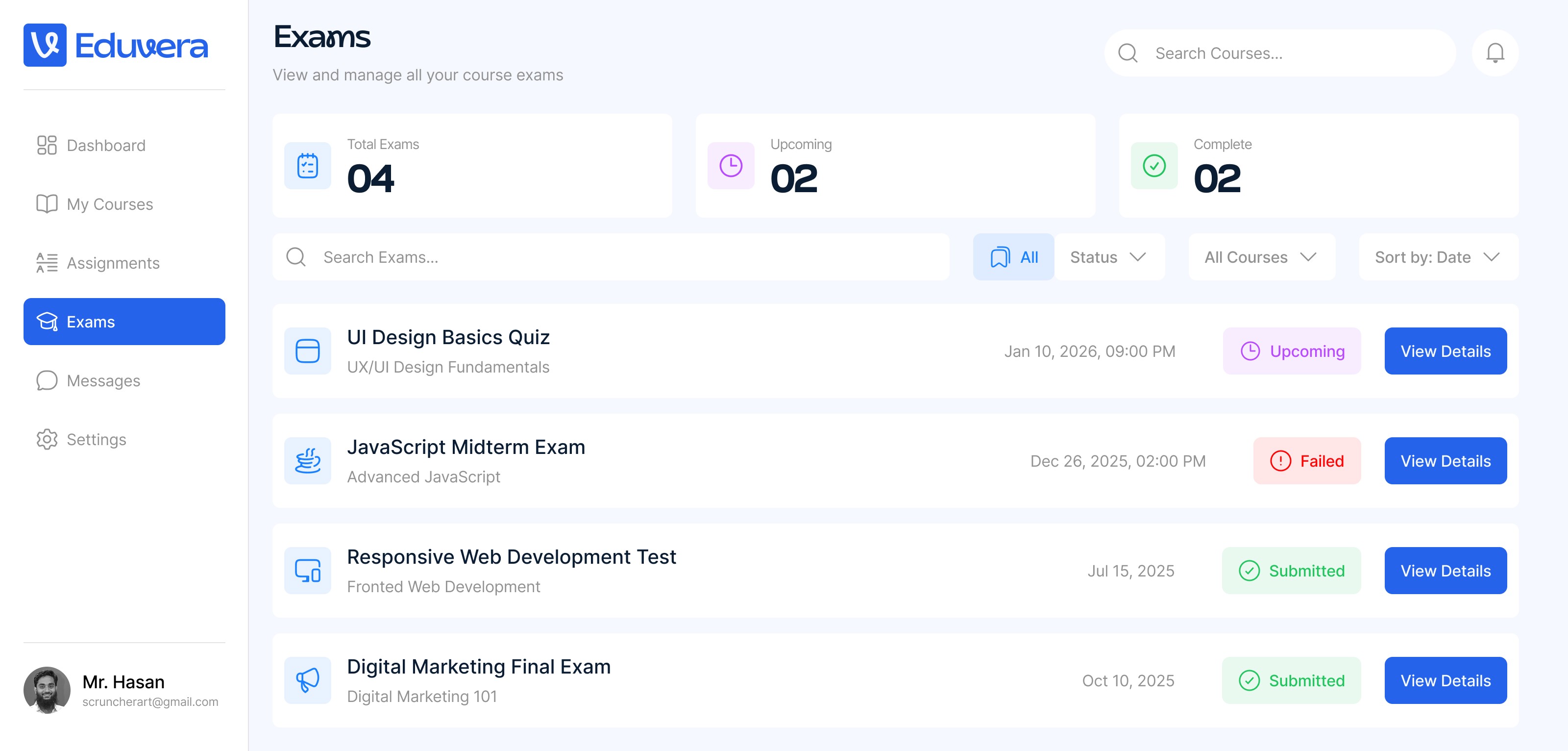
Visual Design
The visual design utilizes a professional blue and white color palette to create a calm and focused environment suitable for a learning platform. The layout is clean and structured with a clear hierarchy, using bold typography and intuitive icons to help users easily navigate their tasks and deadlines.
User Driven Approach
Clean Layout: The use of white space and a structured grid ensures the interface never feels cluttered despite the high density of information.
Color Psychology: A professional blue and white palette is used to create a calm, focused environment suitable for learning.
Hierarchy & Typography: Bold headings and clear icons guide the user’s eye toward the most important tasks and upcoming deadlines.